Your guests snap away. The whole party sees it live.

Audio guest book without the rental phone: your guests’ voice messages via QR code

Your guests scan a QR code and record their wishes for you on their own smartphone. No phone to hire, no parcel to send back, no app.

Your guests know voice messages from every family group chat. You decide how long a message can be, and listen to them all in peace after the party.

Create your event for free

Example images on this page are AI-generated

Audio guest book

How the audio guest book works on your guests’ phones

Three steps, and you don’t need a rental phone for any of them.

  1. 1. Switch on voice messages, set the length

    You create your event for free and switch on voice messages in the guest book. If you only want to collect voices, simply leave written messages and video messages switched off. Then you decide how long a message can be: 15, 30, 45 or 60 seconds. Instead of a recorded greeting message, you write a short prompt that your guests read before they record.

  2. 2. Guests scan and speak

    You put the QR code on the tables or stand it at the entrance as a table sign. Your guests scan it with their phone camera, open the guest book and tap “Record a voice message”. A counter shows how much time is left, and the recording stops by itself at your limit. Before sending, everyone can listen back to their message and record it again if it isn’t right.

  3. 3. You listen to everything after the party

    Every voice message lands in your guest book straight away. Only you can hear them, not other guests and not the big screen. After the party, you download all the recordings together as a ZIP file.

Good to know

What is an audio guest book, and where does the phone fall short?

An audio guest book collects wishes as sound recordings instead of in ink. Usually it’s a converted vintage phone, which is why it’s also called a phone guest book. Guests pick up the receiver, hear your greeting message, speak after the beep and hang up. The phone stores every message, and after the party you get the recordings as files.

It’s a good idea, because you can’t write down a voice. The way someone laughs, hesitates or says “hang on, let me start again” halfway through a sentence isn’t in any book.

In a busy room, though, the phone has a weak spot: it stands in one place, and it has exactly one receiver. Anyone dancing or sitting at the far end rarely makes it over. Anyone who does make it waits until Uncle Bob has finished. Uncle Bob, by the way, starts by asking after the beep whether anyone is there.

Then there’s the logistics. The phone arrives by post a few days before the party, you set it up and send it back afterwards. You get the recordings once the device is back with the hire company.


The comparison

Hire a phone guest book or use your guests’ phones?

Both collect voices. The difference is who brings the device and how many guests can speak at the same time.

Audio guest book phone to hire Audio guest book with Pixxta
Recording device one phone, delivered by post every guest’s own smartphone
How many at once one, the others wait everyone, from their seat
Welcome message your greeting message, spoken your prompt, written
Length per message depends on the device 15, 30, 45 or 60 seconds, you decide
What guests need nothing, just pick up the receiver a smartphone with a camera and internet
What you need at the venue no internet, a power socket depending on the device the venue’s Wi-Fi or mobile data
Setting up and returning delivery before, posting back after a QR code on the table
When you get the recordings after the return, by link or USB stick straight away, together as a ZIP file

The phone is the better choice if it’s meant to be part of the decor, if many of your guests won’t have a smartphone on them, or if the venue has hardly any signal. Anyone can pick up a receiver, even without a phone of their own. With Pixxta, you skip the delivery, the set-up and the return, and nobody has to queue. Your guests speak wherever they happen to be sitting, and you listen to the messages the next morning.

How to get clear messages, even next to the dance floor

  1. Put the QR code on the tables, not just in one spot next to the speakers. At the table, your guests can speak between the main course and dessert, when it’s quieter, or step outside for a moment. They hold the phone the way they would for any voice message in a chat: close to their mouth.

  2. Announce the guest book once. One sentence in your welcome speech or from the DJ does more than any sign. Ideally mention that it’s on every table and that nobody has to queue.

  3. Write a prompt that people can actually answer. “Leave us a message for our first anniversary” gets more than “Leave us a few words”. You’ll find more ideas for your prompt on the digital guest book page.

Guest book questions for your prompt

And anyone who can’t make it gets the link from you and records their message from home while your event is running.

Buy an audio guest book or make your own?

  • For several parties

    Buy a phone

    Worth it if it won’t stop at one party, say because the next wedding among your friends is coming up soon.

  • For tinkerers

    Build your own

    An old rotary phone plus a Raspberry Pi. A lovely project, just not for the week before the wedding.

  • With Pixxta

    Your guests’ phones

    Your guests already carry the microphone. Pixxta collects every message in one place instead of twenty chats.

For every occasion

An audio guest book for weddings, milestone birthdays and christenings

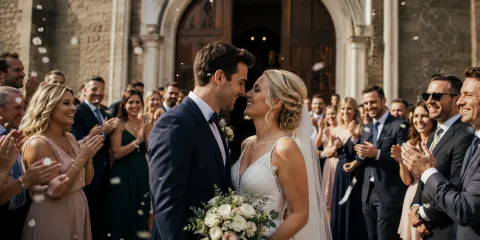
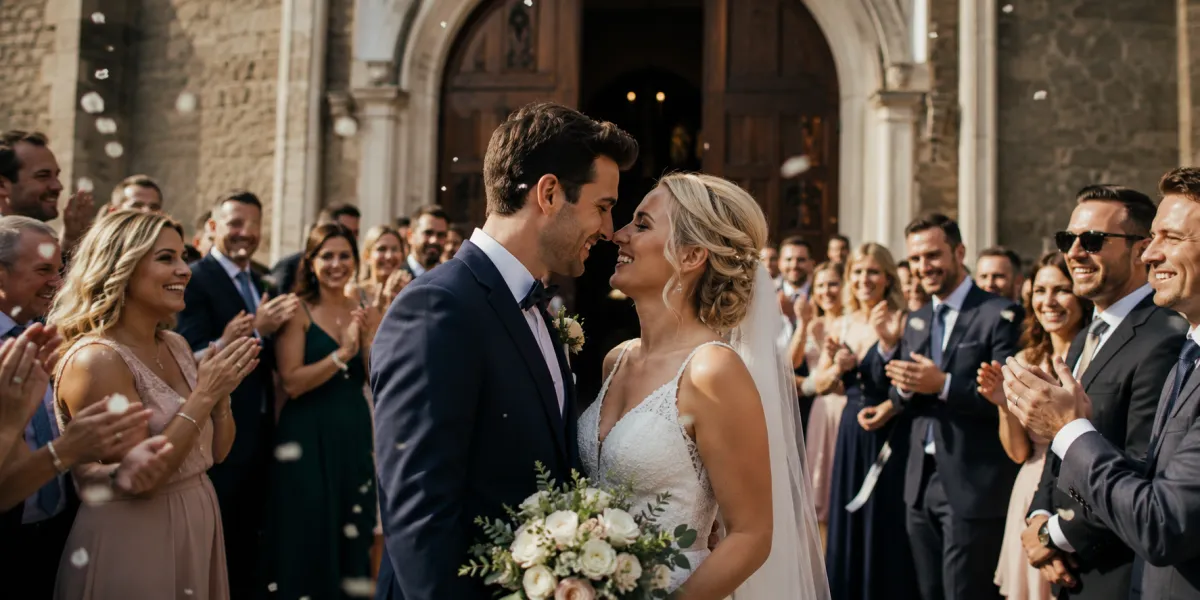
Newly-weds outside the church, surrounded by applauding wedding guests in a shower of petals

No queue at the phone

Wedding

A wedding audio guest book thrives on as many people as possible saying something. With the QR code on every table, even the table right at the back records its wishes without crossing the whole room. And the best man who laughs at his own joke on the first try listens back and simply records again.

Collect guest photos at your wedding
A 60th birthday party: the birthday boy receives a present while the guests applaud

To listen back to

Milestone birthday

A 70th brings together people who rarely see each other otherwise. Some only stay for coffee. With the QR code, the neighbour records her message too before she leaves in the afternoon, and the birthday girl or boy listens to everything in peace once the bustle is over.

For later

Christening

At a christening, the guests speak to someone who doesn’t understand a word of it yet. Godparents, grandparents and friends record a message for the child. You download the files and keep them until the child is old enough to hear them, perhaps for their 18th birthday.

After the party: download every voice message

The morning after, you listen to every message in peace. One click downloads the lot: each voice message on its own, in the order of the evening, plus every entry as a PDF.

  • Play them on your anniversary
  • Pass on single messages
  • Cut them into the party video
How long Pixxta stores everything

FAQ

Audio guest book FAQ

The QR code on the tables and internet for your guests’ phones, so the venue’s Wi-Fi or mobile data. You don’t need a phone, a power socket or a spot for a device.

No. If they like, your guests just enter their name. No email address or password is needed. Anyone who’d rather not give their name picks a nickname or takes part anonymously.

No. Your guests simply scan the QR code and land directly in the event dashboard – no download, no registration, no hurdles.

An audio guest book collects wishes as voice messages. The classic version is a hired vintage phone that guests speak into after the beep. With Pixxta, your guests record their message on their own phone: scan the QR code, start recording, listen back, send. No app and no device to hire.

As long as you decide: 15, 30, 45 or 60 seconds. Your guests see the limit before they start, and when the time is up, the recording stops by itself.

That depends on the provider and the phone. With Pixxta, voice messages are already included in the “Free” plan; without any limit, “The full Pixxta experience” costs a one-off 69 euros.

“Free” and “The full Pixxta experience”. In the free plan, voice messages count towards the maximum of 75 uploads together with photos; in the full plan there is no limit. The “Collect photos” plan has no guest book.

Yes. The “Free” plan is meant for smaller parties: live wall, live feed, challenges, messages and guest book are all included, and there’s no limit on guests. Only uploads are capped, at 75 photos and voice messages, and videos aren’t included. If that’s not enough, upgrade to “The full Pixxta experience” at any time.

No, there’s no subscription. You pay once per event, and only when you activate it.

You can listen to every voice message right in your guest book. To keep them, download them all as a ZIP file, each recording as its own .m4a file with the time and the guest’s name in the file name.

All questions about Pixxta →

Pricing

Start for free. Build it your way.

Pixxta is made up of three modules:

Moments Seats Play

Until you activate, you can try every module in test mode. When you activate, you pick a tier for each module and combine them freely. Whatever is free always stays included.

Pixxta Moments

Pixxta Live

Live wall, live feed, challenges and messages turn your party itself into an experience.

  • Live wall on projector or TV
  • Live feed on every smartphone
  • Photo challenges for your guests
  • Digital guest book
  • Unlimited uploads on the night
  • Gallery and albums with download
  • Your design for guest portal and live wall
Celebrate for free
0 €

per event

  • Full feature set
  • 5 photos and 5 messages included
  • Unlock the rest after the party for €89
  • Stored for 3 months, 1 year once unlocked
  • No videos
  • Pixxta logo can't be hidden
All inclusive
Recommended
69 €

incl. VAT one-time · per event

  • Full feature set
  • All photos and messages
  • Save €20
  • Stored for 1 year
  • Videos included
  • Pixxta logo can be hidden
Collect photos

One QR code that collects all your guests’ photos and videos, with no programme on the night.

29 €

incl. VAT one-time · per event

  • Stored for 1 year
  • Unlimited uploads, videos included
  • Gallery and albums with download
  • No guest book
  • No live wall
  • No challenges

Pixxta Seats

One tier of your choice
Free

Recreate your room to scale and use the guest list to build your seating plan step by step.

0 €

per event

  • Seating plan editor with room and tables
  • Automatic seating based on your rules
  • Guest list from Excel, plan as PDF
  • No event website or RSVPs
  • No seat finder by QR code
Event website & RSVP

Your guests RSVP online on your wedding website and, if you like, later find their seat on their smartphone.

25 €

incl. VAT one-time · per event

  • Seating plan editor with room and tables
  • Automatic seating based on your rules
  • Guest list from Excel, plan as PDF
  • Event website with online RSVPs
  • Seat by QR code, with directions to the chair
Learn more Create seating plan

Pixxta Play

Optional add-on
Quiz & music

Quiz and song requests get the whole room playing.

25 €

incl. VAT one-time · per event

  • Live quiz: your guests play along
  • Live DJ: song requests with voting
Learn more Quiz & song requests

Or go for the full package

The full Pixxta experience

Pixxta Moments Pixxta Seats Pixxta Play

99 €

incl. VAT · one-time · per event

Separately €119

Create your event for free

Servers in Germany 🇩🇪 GDPR-compliant

Which plan suits the audio guest book?

If you start for free, voice messages are included and every guest can record one. You unlock all the messages after the party for €89. Pay in advance and you get every message straight away, plus video messages and all your guests’ photos. With 80 guests, that’s €69, around 86 cents per guest. Important: “Collect photos” doesn’t include a guest book.

Get started now

Ready for a guest book you can listen to?

Create your event for free, switch on voice messages and record the first message yourself in test mode. Then you’ll know what your guests can expect. You only pay when you activate your event.

Free sign-up · Pay only when you activate · No credit card needed

We're a small team, not a corporation. Cookies from our advertising partners show us which ads actually work, so we save ad money that goes into Pixxta instead. Voluntary and revocable at any time. More in our privacy policy.

Essential cookies

There are some cookies that we have to include in order for certain web pages to function. For this reason, they do not require your consent.

Immer aktiv
  • pixxta_staging_cookie_consent 1 year

    Used to store the user's cookie consent preferences.

  • pixxta-staging-session 1 day

    Used to identify the user's browsing session.

  • XSRF-TOKEN 1 day

    Used to secure both the user and our website against cross-site request forgery attacks.